Difference between revisions of "Rhythm Gameplay"
From SoundInGames.com - Sound Design in Games
ValterAlves (Talk | contribs) m |
ValterAlves (Talk | contribs) m |
||
| Line 1: | Line 1: | ||
{{Card | {{Card | ||
| − | | notesontop = | + | | notesontop= introduced in version 2.0 of the [[Deck]]. |
| + | | deckversion=v20 | ||
| v10name=Play the Beat | | v10name=Play the Beat | ||
| name=Rhythm Gameplay | | name=Rhythm Gameplay | ||
| − | + | | v20frontface = RhythmGameplay-front-v20.png | |
| − | | | + | | v20backface = RhythmGameplay-back-v20.png |
| v10synopsis =Acting in sync with a rhythm | | v10synopsis =Acting in sync with a rhythm | ||
| v20synopsis =Acting in sync with a rhythm | | v20synopsis =Acting in sync with a rhythm | ||
| patternpresentation = | | patternpresentation = | ||
| cardpresentation= | | cardpresentation= | ||
| − | |||
| − | |||
| screenshots= | | screenshots= | ||
| rel-tag1=Contexts:<br> | | rel-tag1=Contexts:<br> | ||
Revision as of 00:35, 14 November 2011

|

| |
| The card's front face | The card's back face |
Contents
Synopsis
| Acting in sync with a rhythm. |
Relationships
Contexts:
Consequent Sound  , Entrainment
  .
.
May relate to:
Genre File:M385px-Genre-front-v20.png.
May call for:
Sound Visualization  , Sound Input
  , In-game Feedback
  .
.
Description
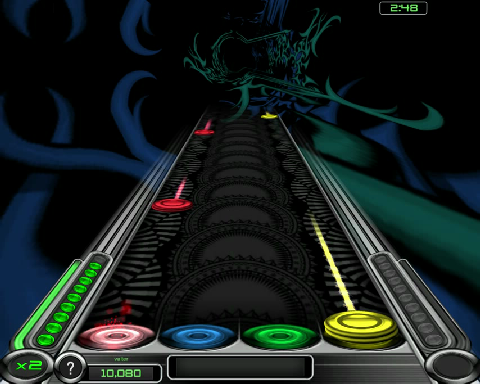
In certain games, particularly in those adopting Rhythm Gameplay, setting or reacting to the beat is inherent to Gameplay.
Examples
Guitar Hero:
    |
 |
 |
 |
 |
 |
 |
 |


